The average employee spends 20% of their working week searching for information they need to do their job. That is an entire day per person, per week, spent not working, according to McKinsey.
Information sharing in the workplace is the practice of making sure the right people have access to the right knowledge at the right time through the right channels. When it works, teams move faster, decisions are better, and people stop duplicating work that has already been done. When it does not, the cost is real.
Most organisations have the tools. What they are missing is the consistency. Information gets shared in the moment and then disappears into an email thread, a chat channel, or someone's memory. The next person who needs it starts from scratch.
With Assembly (by Quantum Workplace), teams can share announcements, build community spaces for ongoing knowledge exchange, and recognise the employees who contribute to keeping information accessible, so communication becomes a habit, not a one-off effort.
This guide covers why information sharing matters, the six most effective methods, and how to build the habits and tools that make communication consistent across your organisation.
Why is Information Sharing Important at the Workplace?
The importance of sharing information in the workplace goes beyond convenience. It directly affects productivity, retention, collaboration and the long-term resilience of the business.
Directly affects employee turnover: When people cannot access the information needed to understand decisions and priorities, they disconnect and disengaged employees are 2.6 times more likely to leave their company, according to Quantum Workplace's Trends Report.
Fosters Collaboration: According to a Fierce, Inc. study of over 1,400 employees and executives, 86% cite ineffective communication as the primary cause of workplace failures. The problem is not a lack of effort but a lack of systems that make information consistently accessible. Better information sharing methods close that gap directly.
Boosts productivity: When employees can find what they need easily at right time without searching through old email chains, they get more done.
Protects institutional knowledge: Research shows that 42% of organisational knowledge is unique to individual employees. Every time someone leaves, that knowledge leaves with them unless it has been captured, shared and made findable. A strong knowledge sharing culture protects the business from that risk.
Reduces meeting overload: When information is documented and accessible, fewer meetings are needed to share updates or chase answers. The benefits of knowledge sharing compound quickly with less chasing colleagues, fewer status meetings, more time for actual work.
6 Methods of Sharing Information in the Workplace
Effective information sharing does not rely on a single channel. The best organisations use a combination of methods - each suited to a different type of communication, audience and urgency level. Here are the six effective ways to share information with employees, with practical guidance on when and how to use each one.
1. Email
Email remains the most widely used internal communication channel for a reason. It works well for formal announcements, documented decisions, reports and anything that needs a written record. It is asynchronous, meaning people can read and respond in their own time which makes it suited to non-urgent communication.
When to use it: Policy updates, formal announcements, project summaries, external communication.
How to use it well: Keep subject lines specific so emails are easy to search later. Avoid using email for real-time collaboration or urgent updates, it creates bottlenecks. For anything that needs a fast response, use instant messaging instead. And avoid the trap of CC'ing everyone, selective distribution keeps inboxes manageable and signals that every email matters.
2. Instant Messaging and Chat Applications
Tools like Slack and Microsoft Teams have become the default channel for day-to-day workplace communication. They allow quick exchanges, reduce email volume, and keep conversations searchable and organised by channel or topic.
When to use them: Quick questions, real-time collaboration, project-specific discussions, team updates.
How to use them well: Set clear channel naming conventions so people know where to post. Establish norms around response times - instant messaging can create an expectation of immediate response that disrupts deep work if not managed. Use threads to keep conversations organised rather than letting responses pile up in a main channel. Pair messaging tools with your company intranet so important decisions made in chat get documented somewhere permanent.
3. Company Intranet and Knowledge Base
A company intranet or knowledge base is the single source of truth for organisational information. It is where policies, processes, onboarding materials, how-to guides and institutional knowledge live - accessible to everyone, searchable, and updated as things change.
When to use it: Onboarding new employees, documenting processes, storing reference material, answering recurring questions.
How to use it well: A knowledge base only works if people trust it is up to date. Assign clear ownership to each section and not a single gatekeeper. Distribute ownership across teams. Build a habit of updating the knowledge base as part of completing a project. Use an internal wiki for living documents that need regular revision, and a structured knowledge base for stable reference material. The goal is to make finding information faster than asking a colleague.
4. Video Communication
Video is the most human channel available for distributed teams. It conveys tone, builds trust, and creates the kind of connection that text-based communication cannot replicate. A study by Forrester Research found that video is now the most engaging medium for internal communications. Employees are significantly more likely to remember a short video announcement than a written email.
When to use it: All-hands meetings, leadership updates, complex explanations, onboarding, team building.
How to use it well: Not every communication needs to be a live video call. Recorded video updates like a short Loom or Teams recording can share information asynchronously without requiring everyone to be available at the same time. For live calls, keep them focused with a clear agenda and a documented summary shared immediately after. Treat meeting recordings as a knowledge asset and store them in your intranet where relevant.
5. Collaboration and Document Sharing Tools
Tools like Google Workspace and Microsoft 365 allow teams to create, edit and comment on documents in real time, eliminating version control issues and reducing the back-and-forth of sending files by email. These tools sit at the intersection of communication and effective knowledge sharing.
When to use them: Collaborative writing, shared planning documents, spreadsheets, presentations.
How to use them well: Establish clear naming and folder conventions so documents are findable months after they are created. Set permissions deliberately, defaulting to view-only prevents accidental edits while still making information accessible. Use comments and suggestions rather than direct edits when reviewing someone else's work, so the decision trail stays visible.
6. Project Management Platforms
Project management tools like Asana, Monday.com and Jira are information sharing platforms as much as they are task trackers. They give every team member visibility into what is being worked on, who owns what, and where things stand without requiring a status update meeting.
When to use them: Ongoing projects, cross-functional work, workload visibility, deadline tracking.
How to use them well: The value of a project management tool depends on everyone using it consistently. A partially updated board creates more confusion than no board at all. Set a team norm around updating task status at a minimum, at the start and end of each working day. Link relevant documents and decisions to the appropriate task so the context travels with the work.
Empower your people with the right information sharing tools for the job and they’re a lot more likely to collaborate with their teammates.
How to Implement Knowledge Sharing Strategies in the Organisation?
Having the right channels is only half the work. The other half is building the habits that make people actually use them. These are the knowledge sharing best practices that make the biggest difference.
Lead by Example: When senior leaders document decisions and share context openly, employees follow. 'Culture follows leadership behaviour' is one of the most consistent findings in the research on improving team communication and collaboration.
Choose the right channel for the message: Urgent updates sent by email get missed. Complex decisions made in chat get lost. Sensitive feedback in a group channel creates tension. Define clear norms for which tool is used for what and revisit them as the team grows.
Strike the right balance between structure and flexibility: A disorganised knowledge base is not much better than no knowledge base at all. A Research has also found that excessive formalization hinders knowledge transfer. Set intranet knowledge sharing goals that are specific enough to measure but not so rigid that contributing feels like a compliance exercise.
Recognise and reward information sharing: When someone documents a process or shares a useful guide, acknowledge it. 70% of people say morale would improve if managers simply said thank you more often. Recognition is one of the most effective knowledge sharing strategies for organisations.
Make it easy to find, not just easy to share: Most organisations focus on getting information into systems. Fewer focus on making it retrievable. Use tagging, consistent naming conventions and regular audits to keep knowledge bases useful rather than just full. The types of knowledge sharing that drive the most value are the ones employees actually return to.
Build feedback into the system: The best internal communication strategies are two-way. Run regular pulse surveys and make it easy for employees to flag gaps in the knowledge base. Quantum Workplace's surveys and flows give HR teams a structured way to gather that feedback at scale without adding admin overhead.
How to Choose the Right Tools for Information Sharing
Most organisations do not have a tool problem. They have a too-many-tools problem. When information lives across email, Slack, a project management platform, a shared drive and an intranet, employees stop trusting any single source and start asking colleagues instead.
Start with where people already are: The best information sharing tool is the one employees actually open. Recognition, announcements and knowledge sharing that live inside Slack or Microsoft Teams get seen. A separate platform nobody logs into does not.
Separate storage from communication: Communication tools (Slack, Teams, email) are for real-time exchanges. Storage tools (knowledge bases, wikis, intranets) are for reference material. Conflating the two creates noise in both.
Use AI to surface, not just store: AI-powered search and recommendation features are increasingly standard in modern knowledge platforms. The value is not in AI generating content but it is in helping employees find what already exists without having to know who to ask.
Measure what gets used, not what gets added: Analytics that show which documents are accessed and where communication breaks down tell you more than participation counts. Use that data to cut tools that are not earning their place.
How Assembly (by Quantum Workplace) Supports Information Sharing
Information sharing breaks down when there is no consistent system behind it. Assembly (by Quantum Workplace) gives HR teams and managers the infrastructure to make communication a daily habit.
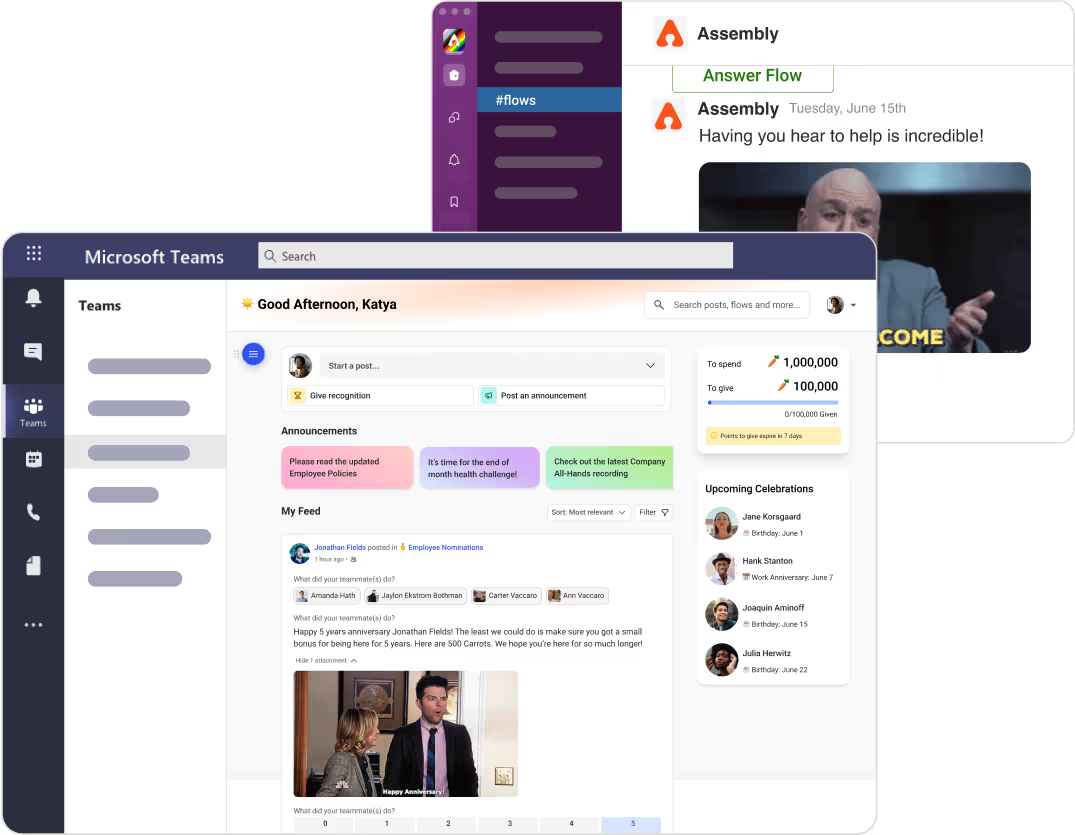
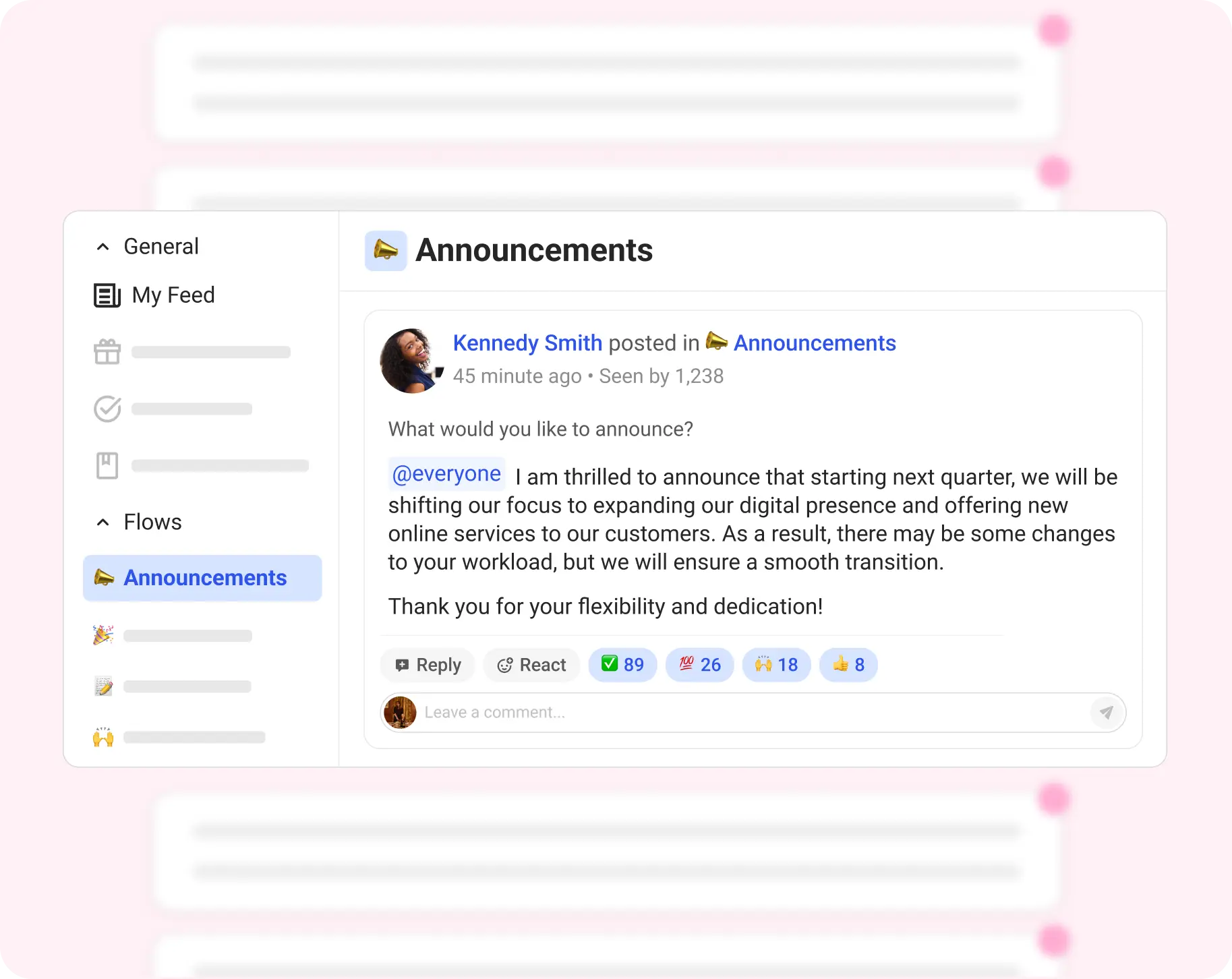
Announcements push critical updates directly inside Slack and Microsoft Teams where employees already are, so important information does not get buried in email or missed entirely.
Peer-to-peer recognition reinforces the behaviour. When employees see colleagues recognised for documenting a process or sharing a useful resource, knowledge sharing becomes a cultural norm rather than an individual effort. Dora AI surfaces communication gaps and engagement patterns, so HR leaders can act before disconnection becomes disengagement.
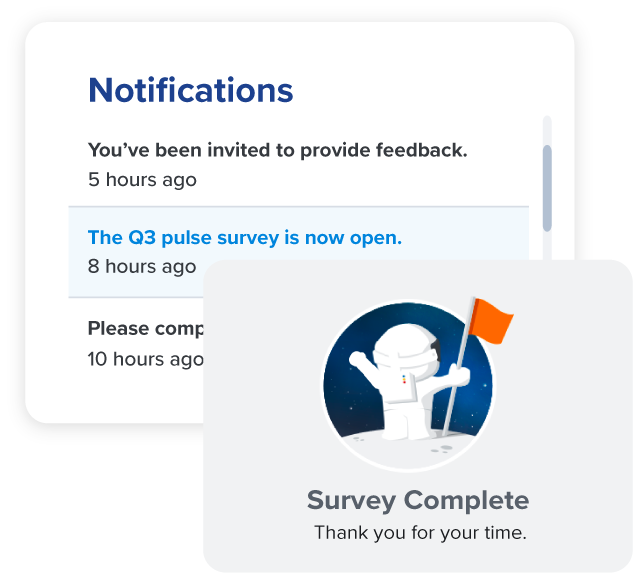
On the measurement side, Quantum Workplace's employee engagement surveys reveal how well information is actually reaching employees - what they understand, what they are missing, and where communication is breaking down across teams and locations.
Book a demo to see how Assembly (by Quantum Workplace) makes internal communication easier to sustain at scale.
Final Words
The organisations that share information well are not the ones with the most tools. They are the ones that have built clear habits around which tool to use, how to keep information findable, and how to recognise the people who contribute to the system.
Start with one channel that is currently inconsistent. Define clear norms around it. Build the habit before adding more tools. Information sharing compounds — the more accessible knowledge becomes, the more people contribute to it.
Frequently Asked Questions
What are the best methods of sharing information in the workplace?
The six most effective methods are email, instant messaging, a company intranet or knowledge base, video communication, collaborative document tools and project management platforms. The best approach matches each channel to the type of content and urgency rather than defaulting to one tool for everything.
Why is information sharing important in the workplace?
Poor information sharing costs real time and drives disengagement. The average employee spends 20% of their working week searching for information they need — according to McKinsey. It also affects retention. Employees at companies with poor knowledge sharing are significantly more likely to say they cannot get what they need to do their job well.
How do teams share information effectively?
Teams share information effectively when they have clear channel norms, a centralised and searchable knowledge base, and leadership that models open communication. Effective information sharing is as much about habits and culture as it is about tools.
What are examples of information sharing methods in business?
Examples include a company intranet for policies and processes, Slack or Teams channels organised by project or topic, recorded video updates shared asynchronously, collaborative Google Docs for team planning, and project management boards that give everyone visibility into ongoing work without requiring a status meeting.
How does Assembly (by Quantum Workplace) support information sharing?
Assembly (by Quantum Workplace) makes communication a daily habit rather than an occasional effort. Announcements push critical updates inside Slack and Microsoft Teams. Community Spaces give teams a dedicated channel for cross-functional knowledge exchange. Peer-to-peer recognition reinforces the behaviour of sharing. And Dora AI surfaces communication gaps so HR leaders can act before disconnection becomes disengagement.
What tools help teams share information at work?
The most widely used tools include Slack and Microsoft Teams for real-time messaging, Google Workspace and Microsoft 365 for document collaboration, Confluence or Notion for knowledge bases, and Asana or Monday.com for project visibility. Platforms like Assembly (by Quantum Workplace) keep communication consistent and visible across the whole organisation through announcements, recognition and engagement tools.
class SampleComponent extends React.Component {
  // using the experimental public class field syntax below. We can also attach
  // the contextType to the current class
  static contextType = ColorContext;
  render() {
    return <Button color={this.color} />
  }
}
The average employee spends 20% of their working week searching for information they need to do their job. That is an entire day per person, per week, spent not working, according to McKinsey.
Information sharing in the workplace is the practice of making sure the right people have access to the right knowledge at the right time through the right channels. When it works, teams move faster, decisions are better, and people stop duplicating work that has already been done. When it does not, the cost is real.
Most organisations have the tools. What they are missing is the consistency. Information gets shared in the moment and then disappears into an email thread, a chat channel, or someone's memory. The next person who needs it starts from scratch.
With Assembly (by Quantum Workplace), teams can share announcements, build community spaces for ongoing knowledge exchange, and recognise the employees who contribute to keeping information accessible, so communication becomes a habit, not a one-off effort.
This guide covers why information sharing matters, the six most effective methods, and how to build the habits and tools that make communication consistent across your organisation.
Why is Information Sharing Important at the Workplace?
The importance of sharing information in the workplace goes beyond convenience. It directly affects productivity, retention, collaboration and the long-term resilience of the business.
Directly affects employee turnover: When people cannot access the information needed to understand decisions and priorities, they disconnect and disengaged employees are 2.6 times more likely to leave their company, according to Quantum Workplace's Trends Report.
Fosters Collaboration: According to a Fierce, Inc. study of over 1,400 employees and executives, 86% cite ineffective communication as the primary cause of workplace failures. The problem is not a lack of effort but a lack of systems that make information consistently accessible. Better information sharing methods close that gap directly.
Boosts productivity: When employees can find what they need easily at right time without searching through old email chains, they get more done.
Protects institutional knowledge: Research shows that 42% of organisational knowledge is unique to individual employees. Every time someone leaves, that knowledge leaves with them unless it has been captured, shared and made findable. A strong knowledge sharing culture protects the business from that risk.
Reduces meeting overload: When information is documented and accessible, fewer meetings are needed to share updates or chase answers. The benefits of knowledge sharing compound quickly with less chasing colleagues, fewer status meetings, more time for actual work.
6 Methods of Sharing Information in the Workplace
Effective information sharing does not rely on a single channel. The best organisations use a combination of methods - each suited to a different type of communication, audience and urgency level. Here are the six effective ways to share information with employees, with practical guidance on when and how to use each one.
1. Email
Email remains the most widely used internal communication channel for a reason. It works well for formal announcements, documented decisions, reports and anything that needs a written record. It is asynchronous, meaning people can read and respond in their own time which makes it suited to non-urgent communication.
When to use it: Policy updates, formal announcements, project summaries, external communication.
How to use it well: Keep subject lines specific so emails are easy to search later. Avoid using email for real-time collaboration or urgent updates, it creates bottlenecks. For anything that needs a fast response, use instant messaging instead. And avoid the trap of CC'ing everyone, selective distribution keeps inboxes manageable and signals that every email matters.
2. Instant Messaging and Chat Applications
Tools like Slack and Microsoft Teams have become the default channel for day-to-day workplace communication. They allow quick exchanges, reduce email volume, and keep conversations searchable and organised by channel or topic.
When to use them: Quick questions, real-time collaboration, project-specific discussions, team updates.
How to use them well: Set clear channel naming conventions so people know where to post. Establish norms around response times - instant messaging can create an expectation of immediate response that disrupts deep work if not managed. Use threads to keep conversations organised rather than letting responses pile up in a main channel. Pair messaging tools with your company intranet so important decisions made in chat get documented somewhere permanent.
3. Company Intranet and Knowledge Base
A company intranet or knowledge base is the single source of truth for organisational information. It is where policies, processes, onboarding materials, how-to guides and institutional knowledge live - accessible to everyone, searchable, and updated as things change.
When to use it: Onboarding new employees, documenting processes, storing reference material, answering recurring questions.
How to use it well: A knowledge base only works if people trust it is up to date. Assign clear ownership to each section and not a single gatekeeper. Distribute ownership across teams. Build a habit of updating the knowledge base as part of completing a project. Use an internal wiki for living documents that need regular revision, and a structured knowledge base for stable reference material. The goal is to make finding information faster than asking a colleague.
4. Video Communication
Video is the most human channel available for distributed teams. It conveys tone, builds trust, and creates the kind of connection that text-based communication cannot replicate. A study by Forrester Research found that video is now the most engaging medium for internal communications. Employees are significantly more likely to remember a short video announcement than a written email.
When to use it: All-hands meetings, leadership updates, complex explanations, onboarding, team building.
How to use it well: Not every communication needs to be a live video call. Recorded video updates like a short Loom or Teams recording can share information asynchronously without requiring everyone to be available at the same time. For live calls, keep them focused with a clear agenda and a documented summary shared immediately after. Treat meeting recordings as a knowledge asset and store them in your intranet where relevant.
5. Collaboration and Document Sharing Tools
Tools like Google Workspace and Microsoft 365 allow teams to create, edit and comment on documents in real time, eliminating version control issues and reducing the back-and-forth of sending files by email. These tools sit at the intersection of communication and effective knowledge sharing.
When to use them: Collaborative writing, shared planning documents, spreadsheets, presentations.
How to use them well: Establish clear naming and folder conventions so documents are findable months after they are created. Set permissions deliberately, defaulting to view-only prevents accidental edits while still making information accessible. Use comments and suggestions rather than direct edits when reviewing someone else's work, so the decision trail stays visible.
6. Project Management Platforms
Project management tools like Asana, Monday.com and Jira are information sharing platforms as much as they are task trackers. They give every team member visibility into what is being worked on, who owns what, and where things stand without requiring a status update meeting.
When to use them: Ongoing projects, cross-functional work, workload visibility, deadline tracking.
How to use them well: The value of a project management tool depends on everyone using it consistently. A partially updated board creates more confusion than no board at all. Set a team norm around updating task status at a minimum, at the start and end of each working day. Link relevant documents and decisions to the appropriate task so the context travels with the work.
Empower your people with the right information sharing tools for the job and they’re a lot more likely to collaborate with their teammates.
How to Implement Knowledge Sharing Strategies in the Organisation?
Having the right channels is only half the work. The other half is building the habits that make people actually use them. These are the knowledge sharing best practices that make the biggest difference.
Lead by Example: When senior leaders document decisions and share context openly, employees follow. 'Culture follows leadership behaviour' is one of the most consistent findings in the research on improving team communication and collaboration.
Choose the right channel for the message: Urgent updates sent by email get missed. Complex decisions made in chat get lost. Sensitive feedback in a group channel creates tension. Define clear norms for which tool is used for what and revisit them as the team grows.
Strike the right balance between structure and flexibility: A disorganised knowledge base is not much better than no knowledge base at all. A Research has also found that excessive formalization hinders knowledge transfer. Set intranet knowledge sharing goals that are specific enough to measure but not so rigid that contributing feels like a compliance exercise.
Recognise and reward information sharing: When someone documents a process or shares a useful guide, acknowledge it. 70% of people say morale would improve if managers simply said thank you more often. Recognition is one of the most effective knowledge sharing strategies for organisations.
Make it easy to find, not just easy to share: Most organisations focus on getting information into systems. Fewer focus on making it retrievable. Use tagging, consistent naming conventions and regular audits to keep knowledge bases useful rather than just full. The types of knowledge sharing that drive the most value are the ones employees actually return to.
Build feedback into the system: The best internal communication strategies are two-way. Run regular pulse surveys and make it easy for employees to flag gaps in the knowledge base. Quantum Workplace's surveys and flows give HR teams a structured way to gather that feedback at scale without adding admin overhead.
How to Choose the Right Tools for Information Sharing
Most organisations do not have a tool problem. They have a too-many-tools problem. When information lives across email, Slack, a project management platform, a shared drive and an intranet, employees stop trusting any single source and start asking colleagues instead.
Start with where people already are: The best information sharing tool is the one employees actually open. Recognition, announcements and knowledge sharing that live inside Slack or Microsoft Teams get seen. A separate platform nobody logs into does not.
Separate storage from communication: Communication tools (Slack, Teams, email) are for real-time exchanges. Storage tools (knowledge bases, wikis, intranets) are for reference material. Conflating the two creates noise in both.
Use AI to surface, not just store: AI-powered search and recommendation features are increasingly standard in modern knowledge platforms. The value is not in AI generating content but it is in helping employees find what already exists without having to know who to ask.
Measure what gets used, not what gets added: Analytics that show which documents are accessed and where communication breaks down tell you more than participation counts. Use that data to cut tools that are not earning their place.
How Assembly (by Quantum Workplace) Supports Information Sharing
Information sharing breaks down when there is no consistent system behind it. Assembly (by Quantum Workplace) gives HR teams and managers the infrastructure to make communication a daily habit.
Announcements push critical updates directly inside Slack and Microsoft Teams where employees already are, so important information does not get buried in email or missed entirely.
Peer-to-peer recognition reinforces the behaviour. When employees see colleagues recognised for documenting a process or sharing a useful resource, knowledge sharing becomes a cultural norm rather than an individual effort. Dora AI surfaces communication gaps and engagement patterns, so HR leaders can act before disconnection becomes disengagement.
On the measurement side, Quantum Workplace's employee engagement surveys reveal how well information is actually reaching employees - what they understand, what they are missing, and where communication is breaking down across teams and locations.
Book a demo to see how Assembly (by Quantum Workplace) makes internal communication easier to sustain at scale.
Final Words
The organisations that share information well are not the ones with the most tools. They are the ones that have built clear habits around which tool to use, how to keep information findable, and how to recognise the people who contribute to the system.
Start with one channel that is currently inconsistent. Define clear norms around it. Build the habit before adding more tools. Information sharing compounds — the more accessible knowledge becomes, the more people contribute to it.
Frequently Asked Questions
What are the best methods of sharing information in the workplace?
The six most effective methods are email, instant messaging, a company intranet or knowledge base, video communication, collaborative document tools and project management platforms. The best approach matches each channel to the type of content and urgency rather than defaulting to one tool for everything.
Why is information sharing important in the workplace?
Poor information sharing costs real time and drives disengagement. The average employee spends 20% of their working week searching for information they need — according to McKinsey. It also affects retention. Employees at companies with poor knowledge sharing are significantly more likely to say they cannot get what they need to do their job well.
How do teams share information effectively?
Teams share information effectively when they have clear channel norms, a centralised and searchable knowledge base, and leadership that models open communication. Effective information sharing is as much about habits and culture as it is about tools.
What are examples of information sharing methods in business?
Examples include a company intranet for policies and processes, Slack or Teams channels organised by project or topic, recorded video updates shared asynchronously, collaborative Google Docs for team planning, and project management boards that give everyone visibility into ongoing work without requiring a status meeting.
How does Assembly (by Quantum Workplace) support information sharing?
Assembly (by Quantum Workplace) makes communication a daily habit rather than an occasional effort. Announcements push critical updates inside Slack and Microsoft Teams. Community Spaces give teams a dedicated channel for cross-functional knowledge exchange. Peer-to-peer recognition reinforces the behaviour of sharing. And Dora AI surfaces communication gaps so HR leaders can act before disconnection becomes disengagement.
What tools help teams share information at work?
The most widely used tools include Slack and Microsoft Teams for real-time messaging, Google Workspace and Microsoft 365 for document collaboration, Confluence or Notion for knowledge bases, and Asana or Monday.com for project visibility. Platforms like Assembly (by Quantum Workplace) keep communication consistent and visible across the whole organisation through announcements, recognition and engagement tools.
Browse our Free Employee Recognition Guide
Get the foundational knowledge on creating an employee recognition program that boosts employee engagement and helps them feel valued.






.png)