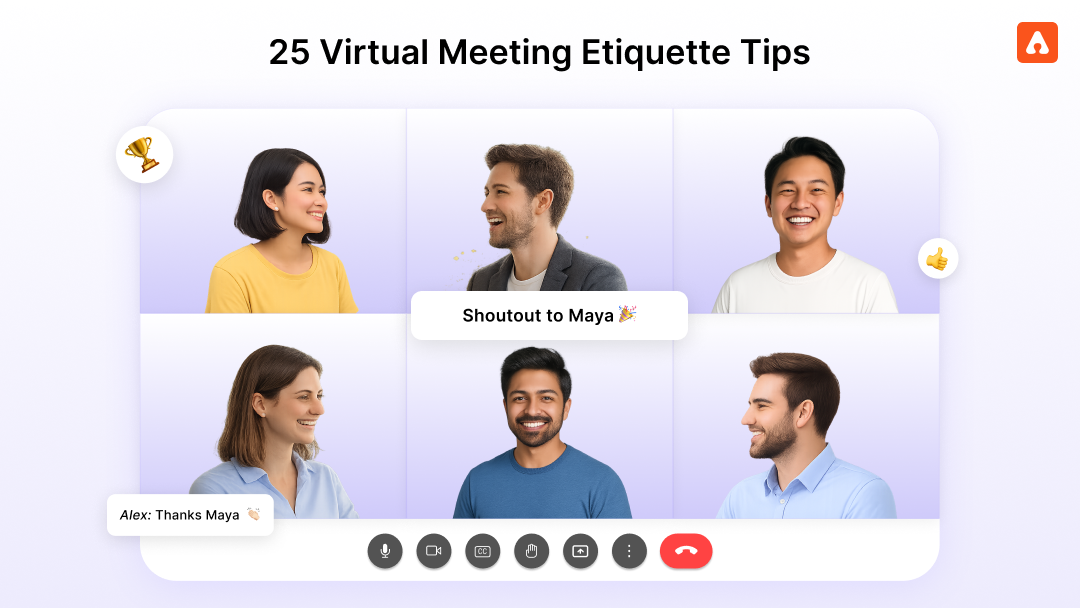
Virtual meetings have become a core part of how teams collaborate. Whether teams are fully remote or working in a hybrid model, much of today’s communication, decision-making, and alignment happens through a screen.
But not every virtual meeting feels engaging.
Most of us have been in meetings where people quietly multitask while someone shares their screen. It’s not that employees do not care. The reality is that many meetings are not structured in a way that keeps people involved. In fact, according to Flowtrace’s State of Meetings Report, 92% of employees admit they multitask during virtual meetings.
The issue is not remote work itself. It is how meetings are designed.
With a few intentional changes, virtual meetings can become spaces where teams align, recognize contributions, and strengthen relationships. When employees feel included and acknowledged, they naturally participate more and stay present in the conversation.
This is especially important for remote teams. Research shows that 67% of remote employees feel less connected to their colleagues, making meetings one of the few moments where teams truly come together.
When teams adopt thoughtful virtual meeting etiquette, meetings become more focused, inclusive, and productive. In this guide, we will walk through 25 practical tips to help teams run better meetings while building stronger engagement and recognition.
Why Virtual Meeting Etiquette Matters More Than You Think
When teams work in the same office, connection happens naturally. A manager spots someone's great work. Colleagues share a quick compliment after a meeting. These small moments of recognition add up and make people feel seen.
In virtual work, those moments do not happen by accident. We have to create them intentionally. The good news is that when we do, the impact is even more powerful because it shows real thoughtfulness.
Virtual meetings are one of the few shared spaces where distributed teams come together. How you run those meetings directly shapes how connected, valued, and engaged your people feel.
Think about your last virtual meeting where someone publicly thanked a teammate for their help. Or a time when the host opened by celebrating a recent win before diving into the actual agenda. While small, these tiny moments stick for long. They signal that contributions matter and that people are more than just names we see on a Zoom or Teams window.
When virtual meeting etiquette includes recognition and inclusive practices, something beautiful happens. People show up more present and tend to be more proactive. They contribute more freely. They leave feeling like part of a real team rather than a collection of video squares.
Assembly helps teams carry that energy beyond the meeting by making recognition visible in Slack, Teams, and across the organization. With peer-to-peer recognition, automated milestone celebrations, and community spaces, appreciation does not vanish when the call ends. It becomes part of the team's culture.
Virtual Meeting Etiquette Rules for Attendees
Every attendee is equally important and shapes the energy of a virtual meeting. Here are some simple ways to show up as a supportive and engaged participant.
1. Join On Time or a Minute Early
Joining on time shows respect for everyone's schedule. Logging in a minute early gives you a chance to troubleshoot any audio or video issues so the meeting can start smoothly.
2. Turn Your Camera On When Possible
Seeing faces creates connection. When we can see each other, conversations feel warmer and more human. If bandwidth is an issue or you need a camera-off day, give a quick heads-up to the team.
3. Mute When You Are Not Speaking
Background noise can distract others from focusing on the speaker. A quick mute when you are listening helps everyone stay present and keeps the group focused.
4. Minimize Distractions in Your Space
Closing extra tabs and putting your phone aside helps you stay fully present. When we give meetings our full attention, we contribute better ideas and make our teammates feel heard.
5. Use Reactions and Chat to Engage
Virtual meetings miss the energy of nodding heads and encouraging smiles. Using thumbs up, clapping reactions, or supportive comments in the chat brings that warmth back and helps speakers feel supported.
6. Wait for Natural Pauses Before Speaking
Audio delays can make conversations tricky. Pausing an extra beat before jumping in helps avoid accidental interruptions due to latency issues. If you do accidentally talk over someone, a simple "please go ahead" keeps the conversation flowing gracefully.
7. Prepare for the Meeting in Advance
Taking a few minutes to review the agenda or gather your thoughts beforehand helps you contribute meaningfully. It also shows your teammates that you value the time you are spending together.
8. Stay Present Until the Meeting Ends
Staying focused until the end shows respect for your teammates and the discussion. If you need to leave early, letting the host know upfront helps everyone plan accordingly.
Virtual Meeting Etiquette Tips for Hosts and Managers
As a host or manager, you set the tone for how meetings feel. These tips help you create sessions that people genuinely look forward to attending.
9. Start With Recognition
Opening with a celebration or thank-you creates positive energy right away. It reminds everyone that their contributions matter and sets a warm tone for the rest of the meeting. Tools like Quantum Workplace’s employee recognition software makes this easy by letting you pull recent shoutouts into your meeting flow and share them on the live company feed.
10. Share the Agenda Beforehand
Sending the agenda 24 hours in advance helps everyone come prepared. Inviting attendees to add their own topics shows that their input is valued and creates shared ownership of the meeting.
11. Actively Invite Quieter Voices
Some people need a moment to gather their thoughts before speaking up. Creating space with a warm invitation like "I would love to hear your perspective" helps everyone feel comfortable contributing their ideas.
12. Keep Meetings Focused and Time-Bound
Starting and ending on time shows respect for everyone's schedule. If a discussion needs more time, scheduling a follow-up keeps the current meeting focused and gives everyone their time back.
13. Summarize Key Points and Action Items
A quick recap at the end helps everyone leave with clarity. When people know exactly what was decided and who owns the next steps, they feel more confident and aligned. Assembly's Manager 1:1 tool helps you track action items and follow up on commitments between meetings.
14. Use Breakout Rooms for Deeper Discussion
Smaller groups give everyone more space to participate. Breakout rooms help quieter team members share ideas more comfortably and bring fresh perspectives back to the full group.
15. Create Space for Personal Connection
A few minutes for a quick icebreaker or check-in builds relationships. Remote teams often miss the hallway chats and coffee breaks, and meetings can fill some of that gap with a little intentionality.
16. End With Appreciation
Closing by thanking attendees for their time and contributions leaves everyone feeling valued. Acknowledging specific people who brought great ideas makes the appreciation even more meaningful.
Hybrid Meeting Etiquette: Keeping Remote and In-Person Attendees Equal
Hybrid meetings bring a wonderful opportunity to connect people across locations. With a little extra care, you can make sure everyone feels equally included whether they are in the room or joining remotely.
17. Position the Camera to Include Everyone
Remote attendees feel more connected when they can see the faces of in-room participants clearly. A well-positioned camera helps bridge the distance and makes remote teammates feel like they are truly in the room.
18. Use Quality Audio Equipment
Clear audio makes a huge difference for remote participants. Testing microphones regularly ensures everyone can hear clearly and participate fully in the conversation.
19. Assign a Remote Advocate
Having someone in the room keep an eye on the chat and remote participants helps ensure no one gets left out. This assigned person can flag when a remote teammate has a question or wants to share an idea.
20. Repeat In-Room Questions and Comments
Audio does not always pick up everything clearly. When the host briefly repeats in-room comments, remote attendees stay in the loop and feel included in the full conversation.
21. Share Digital Materials Simultaneously
Sharing your screen digitally while showing slides in the room ensures remote attendees see everything clearly. No one has to zoom and strain to read a projected slide through a camera.
22. Rotate Who Speaks First
Intentionally inviting remote participants to share first on key topics signals that their presence matters just as much as anyone in the room. It creates a more balanced and inclusive discussion.
23. Recognize Contributions Across Locations
When celebrating wins or acknowledging great work, include both in-room and remote team members equally. Assembly's peer recognition makes contributions visible to everyone regardless of where they joined from, so no one feels overlooked.
Between meetings, Assembly's Announcements and Community Spaces keep distributed teams connected and informed. Important updates reach everyone at the same time, and team members can engage in ongoing conversations that build relationships beyond scheduled calls.
How Recognition in Meetings Builds a Stronger Team Culture
Meetings are more than just decisions and updates. They are one of your best opportunities to build culture and help people feel valued.
When recognition becomes part of your meeting rhythm, you create an environment where people genuinely want to show up and contribute. Here is how to weave appreciation into your virtual meeting norms.
24. Open Every Meeting With a Win
Before diving into the agenda, spend two minutes highlighting a recent success. Calling out the people involved by name sets a positive tone and reminds everyone that their achievements are noticed and celebrated.
25. Invite Peers to Recognize Each Other
Creating a moment where anyone can share a shoutout builds a culture of appreciation. Asking "Who wants to recognize someone this week?" opens the floor for peer gratitude. Assembly's peer-to-peer recognition makes these shoutouts visible across the company feed, extending the warmth beyond the meeting.
More Ways to Build Recognition Into Your Meetings
Celebrate Milestones Publicly: Work anniversaries, birthdays, and project completions deserve attention. Assembly's Milestones feature automatically tracks these moments and creates personalized celebration pages where the whole team can contribute messages and reactions. No milestone slips through the cracks, and you can highlight them during team calls.
Connect Recognition to Values: When you recognize someone, tie it back to a company value. "Maya showed incredible collaboration this week by helping the sales team close that deal." Assembly lets you tag recognition to specific company values, helping the whole team see how their work connects to the bigger picture.
Follow Up Recognition With Rewards: Verbal recognition is powerful, and tangible rewards amplify the impact. Assembly's rewards system lets you pair shoutouts with points redeemable for gift cards from 200+ companies, experiences, charitable donations, swag, and more.
Use Custom Awards and Challenges: Assembly's custom awards and challenges let you create special recognition moments that align with your team's goals. Launch a "Meeting MVP" award or a monthly challenge that celebrates great collaboration.
Common Virtual Meeting Etiquette Mistakes and How to Avoid Them
Even the best teams can fall into patterns that make meetings less effective. Here are some common mistakes people make and some simple ways to create better experiences for everyone.
Jumping Straight Into Tasks: Starting with "let us get to it" skips the human connection that makes meetings worthwhile. A quick check-in or recognition moment warms up the room first.
Letting a Few Voices Dominate: When the same people always speak, others may hold back their great ideas. Creating intentional pauses and inviting different perspectives helps everyone contribute.
Running Over Time: Meetings that consistently run long can feel draining. If discussions need more time, scheduling a follow-up respects everyone's schedule.
Missing Opportunities to Recognize Good Work: When meetings are purely transactional, people miss the chance to feel appreciated. Building recognition into your meeting rhythm keeps morale strong.
Forgetting Remote Participants in Hybrid Calls: With a little extra attention, remote teammates can feel just as included as those in the room. Checking in with them regularly makes a big difference.
Skipping the Agenda: Meetings without structure can feel scattered. Even a simple three-point agenda gives focus and helps everyone prepare meaningful contributions.
Leaving Without Clear Next Steps: A quick summary of decisions and action items at the end helps everyone leave aligned. Quantum Workplace’s 1:1 tool helps track commitments and follow through.
Use this checklist to prepare for and run effective virtual meetings that everyone enjoys.
Before the Meeting
• Send the agenda at least 24 hours in advance
• Test your audio and video setup
• Check Assembly for recent recognitions and upcoming milestones to share
• Close extra tabs and silence notifications
During the Meeting
• Join one minute early
• Turn camera on and stay visibly engaged
• Mute when not speaking
• Use reactions and chat to show support
• Start with recognition or celebrate a win
• Invite quieter voices to contribute
• Keep discussions on track and respect time
• End with clear action items and appreciation
For Hybrid Meetings
• Ensure camera captures all in-room participants
• Use quality microphones for clear audio
• Assign someone to advocate for remote participants
• Repeat in-room comments so everyone stays in the loop
• Invite remote participants to speak first on key topics
After the Meeting
• Send a brief recap with action items
• Track commitments in Assembly's Manager 1:1 tool
• Share recognition shoutouts to the company feed
• Post key updates to Announcements for those who missed the call
Bringing It All Together
Next time you open a virtual meeting, skip the "let's start" and try this instead:
Start with a quick win. Call out someone who aced it last week. Ask "Who wants to recognize a teammate today?" These two minutes will change the energy of the entire meeting.
For your hybrid calls, invite remote teammates to speak first on key topics. Assign someone in the room to watch the chat. Repeat in-room comments so nobody feels like they are listening through a wall.
Before you wrap up, recap the decisions, assign owners, and thank specific people for their contributions. Then take those shoutouts and post them to your company feed so the recognition lives beyond the call.
Small shifts, big impact. Your team will notice the difference.
Assembly gives you the tools to make this easy. Pull recent peer recognitions into your meetings. Celebrate milestones automatically so no anniversary or achievement gets missed. Keep your distributed team connected through community spaces and announcements between calls.
When recognition becomes part of how your team meets, engagement stops being something you chase. It just happens.
Ready to make every meeting count? Book a demo with Assembly and see how recognition transforms team engagement.
Frequently Asked Questions
How do I stop people from multitasking during virtual meetings?
Keep meetings short, start with something engaging like a quick win or shoutout, and call on people by name. When people feel involved, they pay attention.
What do I do if remote employees feel left out in hybrid meetings?
Have someone in the room watch the chat and speak up for remote folks. Invite them to share first before the in-room conversation takes over.
How do I get my team to turn their cameras on?
Lead by example and keep your camera on. Make meetings feel warm and personal so people want to show up. Avoid making it a strict rule, but explain why it helps the team connect.
What is the best way to start a virtual meeting?
Skip the "let's get started" and open with a quick recognition or team win. It takes two minutes and changes the energy of the whole call.
How long should virtual meetings be?
25 or 50 minutes works best. It gives people breathing room between calls and forces you to stay focused.
How do I make sure action items actually get done after meetings?
Recap decisions at the end, assign owners out loud, and send a quick follow-up. Track commitments in a tool like Assembly's Manager 1:1 so nothing falls through.
How do I recognize employees during virtual meetings?
Open the floor with "Who wants to shout someone out this week?" or highlight a recent win yourself. Use Assembly to make those shoutouts visible to the whole company after the call.
class SampleComponent extends React.Component {
  // using the experimental public class field syntax below. We can also attach
  // the contextType to the current class
  static contextType = ColorContext;
  render() {
    return <Button color={this.color} />
  }
}
Virtual meetings have become a core part of how teams collaborate. Whether teams are fully remote or working in a hybrid model, much of today’s communication, decision-making, and alignment happens through a screen.
But not every virtual meeting feels engaging.
Most of us have been in meetings where people quietly multitask while someone shares their screen. It’s not that employees do not care. The reality is that many meetings are not structured in a way that keeps people involved. In fact, according to Flowtrace’s State of Meetings Report, 92% of employees admit they multitask during virtual meetings.
The issue is not remote work itself. It is how meetings are designed.
With a few intentional changes, virtual meetings can become spaces where teams align, recognize contributions, and strengthen relationships. When employees feel included and acknowledged, they naturally participate more and stay present in the conversation.
This is especially important for remote teams. Research shows that 67% of remote employees feel less connected to their colleagues, making meetings one of the few moments where teams truly come together.
When teams adopt thoughtful virtual meeting etiquette, meetings become more focused, inclusive, and productive. In this guide, we will walk through 25 practical tips to help teams run better meetings while building stronger engagement and recognition.
Why Virtual Meeting Etiquette Matters More Than You Think
When teams work in the same office, connection happens naturally. A manager spots someone's great work. Colleagues share a quick compliment after a meeting. These small moments of recognition add up and make people feel seen.
In virtual work, those moments do not happen by accident. We have to create them intentionally. The good news is that when we do, the impact is even more powerful because it shows real thoughtfulness.
Virtual meetings are one of the few shared spaces where distributed teams come together. How you run those meetings directly shapes how connected, valued, and engaged your people feel.
Think about your last virtual meeting where someone publicly thanked a teammate for their help. Or a time when the host opened by celebrating a recent win before diving into the actual agenda. While small, these tiny moments stick for long. They signal that contributions matter and that people are more than just names we see on a Zoom or Teams window.
When virtual meeting etiquette includes recognition and inclusive practices, something beautiful happens. People show up more present and tend to be more proactive. They contribute more freely. They leave feeling like part of a real team rather than a collection of video squares.
Assembly helps teams carry that energy beyond the meeting by making recognition visible in Slack, Teams, and across the organization. With peer-to-peer recognition, automated milestone celebrations, and community spaces, appreciation does not vanish when the call ends. It becomes part of the team's culture.
Virtual Meeting Etiquette Rules for Attendees
Every attendee is equally important and shapes the energy of a virtual meeting. Here are some simple ways to show up as a supportive and engaged participant.
1. Join On Time or a Minute Early
Joining on time shows respect for everyone's schedule. Logging in a minute early gives you a chance to troubleshoot any audio or video issues so the meeting can start smoothly.
2. Turn Your Camera On When Possible
Seeing faces creates connection. When we can see each other, conversations feel warmer and more human. If bandwidth is an issue or you need a camera-off day, give a quick heads-up to the team.
3. Mute When You Are Not Speaking
Background noise can distract others from focusing on the speaker. A quick mute when you are listening helps everyone stay present and keeps the group focused.
4. Minimize Distractions in Your Space
Closing extra tabs and putting your phone aside helps you stay fully present. When we give meetings our full attention, we contribute better ideas and make our teammates feel heard.
5. Use Reactions and Chat to Engage
Virtual meetings miss the energy of nodding heads and encouraging smiles. Using thumbs up, clapping reactions, or supportive comments in the chat brings that warmth back and helps speakers feel supported.
6. Wait for Natural Pauses Before Speaking
Audio delays can make conversations tricky. Pausing an extra beat before jumping in helps avoid accidental interruptions due to latency issues. If you do accidentally talk over someone, a simple "please go ahead" keeps the conversation flowing gracefully.
7. Prepare for the Meeting in Advance
Taking a few minutes to review the agenda or gather your thoughts beforehand helps you contribute meaningfully. It also shows your teammates that you value the time you are spending together.
8. Stay Present Until the Meeting Ends
Staying focused until the end shows respect for your teammates and the discussion. If you need to leave early, letting the host know upfront helps everyone plan accordingly.
Virtual Meeting Etiquette Tips for Hosts and Managers
As a host or manager, you set the tone for how meetings feel. These tips help you create sessions that people genuinely look forward to attending.
9. Start With Recognition
Opening with a celebration or thank-you creates positive energy right away. It reminds everyone that their contributions matter and sets a warm tone for the rest of the meeting. Tools like Quantum Workplace’s employee recognition software makes this easy by letting you pull recent shoutouts into your meeting flow and share them on the live company feed.
10. Share the Agenda Beforehand
Sending the agenda 24 hours in advance helps everyone come prepared. Inviting attendees to add their own topics shows that their input is valued and creates shared ownership of the meeting.
11. Actively Invite Quieter Voices
Some people need a moment to gather their thoughts before speaking up. Creating space with a warm invitation like "I would love to hear your perspective" helps everyone feel comfortable contributing their ideas.
12. Keep Meetings Focused and Time-Bound
Starting and ending on time shows respect for everyone's schedule. If a discussion needs more time, scheduling a follow-up keeps the current meeting focused and gives everyone their time back.
13. Summarize Key Points and Action Items
A quick recap at the end helps everyone leave with clarity. When people know exactly what was decided and who owns the next steps, they feel more confident and aligned. Assembly's Manager 1:1 tool helps you track action items and follow up on commitments between meetings.
14. Use Breakout Rooms for Deeper Discussion
Smaller groups give everyone more space to participate. Breakout rooms help quieter team members share ideas more comfortably and bring fresh perspectives back to the full group.
15. Create Space for Personal Connection
A few minutes for a quick icebreaker or check-in builds relationships. Remote teams often miss the hallway chats and coffee breaks, and meetings can fill some of that gap with a little intentionality.
16. End With Appreciation
Closing by thanking attendees for their time and contributions leaves everyone feeling valued. Acknowledging specific people who brought great ideas makes the appreciation even more meaningful.
Hybrid Meeting Etiquette: Keeping Remote and In-Person Attendees Equal
Hybrid meetings bring a wonderful opportunity to connect people across locations. With a little extra care, you can make sure everyone feels equally included whether they are in the room or joining remotely.
17. Position the Camera to Include Everyone
Remote attendees feel more connected when they can see the faces of in-room participants clearly. A well-positioned camera helps bridge the distance and makes remote teammates feel like they are truly in the room.
18. Use Quality Audio Equipment
Clear audio makes a huge difference for remote participants. Testing microphones regularly ensures everyone can hear clearly and participate fully in the conversation.
19. Assign a Remote Advocate
Having someone in the room keep an eye on the chat and remote participants helps ensure no one gets left out. This assigned person can flag when a remote teammate has a question or wants to share an idea.
20. Repeat In-Room Questions and Comments
Audio does not always pick up everything clearly. When the host briefly repeats in-room comments, remote attendees stay in the loop and feel included in the full conversation.
21. Share Digital Materials Simultaneously
Sharing your screen digitally while showing slides in the room ensures remote attendees see everything clearly. No one has to zoom and strain to read a projected slide through a camera.
22. Rotate Who Speaks First
Intentionally inviting remote participants to share first on key topics signals that their presence matters just as much as anyone in the room. It creates a more balanced and inclusive discussion.
23. Recognize Contributions Across Locations
When celebrating wins or acknowledging great work, include both in-room and remote team members equally. Assembly's peer recognition makes contributions visible to everyone regardless of where they joined from, so no one feels overlooked.
Between meetings, Assembly's Announcements and Community Spaces keep distributed teams connected and informed. Important updates reach everyone at the same time, and team members can engage in ongoing conversations that build relationships beyond scheduled calls.
How Recognition in Meetings Builds a Stronger Team Culture
Meetings are more than just decisions and updates. They are one of your best opportunities to build culture and help people feel valued.
When recognition becomes part of your meeting rhythm, you create an environment where people genuinely want to show up and contribute. Here is how to weave appreciation into your virtual meeting norms.
24. Open Every Meeting With a Win
Before diving into the agenda, spend two minutes highlighting a recent success. Calling out the people involved by name sets a positive tone and reminds everyone that their achievements are noticed and celebrated.
25. Invite Peers to Recognize Each Other
Creating a moment where anyone can share a shoutout builds a culture of appreciation. Asking "Who wants to recognize someone this week?" opens the floor for peer gratitude. Assembly's peer-to-peer recognition makes these shoutouts visible across the company feed, extending the warmth beyond the meeting.
More Ways to Build Recognition Into Your Meetings
Celebrate Milestones Publicly: Work anniversaries, birthdays, and project completions deserve attention. Assembly's Milestones feature automatically tracks these moments and creates personalized celebration pages where the whole team can contribute messages and reactions. No milestone slips through the cracks, and you can highlight them during team calls.
Connect Recognition to Values: When you recognize someone, tie it back to a company value. "Maya showed incredible collaboration this week by helping the sales team close that deal." Assembly lets you tag recognition to specific company values, helping the whole team see how their work connects to the bigger picture.
Follow Up Recognition With Rewards: Verbal recognition is powerful, and tangible rewards amplify the impact. Assembly's rewards system lets you pair shoutouts with points redeemable for gift cards from 200+ companies, experiences, charitable donations, swag, and more.
Use Custom Awards and Challenges: Assembly's custom awards and challenges let you create special recognition moments that align with your team's goals. Launch a "Meeting MVP" award or a monthly challenge that celebrates great collaboration.
Common Virtual Meeting Etiquette Mistakes and How to Avoid Them
Even the best teams can fall into patterns that make meetings less effective. Here are some common mistakes people make and some simple ways to create better experiences for everyone.
Jumping Straight Into Tasks: Starting with "let us get to it" skips the human connection that makes meetings worthwhile. A quick check-in or recognition moment warms up the room first.
Letting a Few Voices Dominate: When the same people always speak, others may hold back their great ideas. Creating intentional pauses and inviting different perspectives helps everyone contribute.
Running Over Time: Meetings that consistently run long can feel draining. If discussions need more time, scheduling a follow-up respects everyone's schedule.
Missing Opportunities to Recognize Good Work: When meetings are purely transactional, people miss the chance to feel appreciated. Building recognition into your meeting rhythm keeps morale strong.
Forgetting Remote Participants in Hybrid Calls: With a little extra attention, remote teammates can feel just as included as those in the room. Checking in with them regularly makes a big difference.
Skipping the Agenda: Meetings without structure can feel scattered. Even a simple three-point agenda gives focus and helps everyone prepare meaningful contributions.
Leaving Without Clear Next Steps: A quick summary of decisions and action items at the end helps everyone leave aligned. Quantum Workplace’s 1:1 tool helps track commitments and follow through.
Use this checklist to prepare for and run effective virtual meetings that everyone enjoys.
Before the Meeting
• Send the agenda at least 24 hours in advance
• Test your audio and video setup
• Check Assembly for recent recognitions and upcoming milestones to share
• Close extra tabs and silence notifications
During the Meeting
• Join one minute early
• Turn camera on and stay visibly engaged
• Mute when not speaking
• Use reactions and chat to show support
• Start with recognition or celebrate a win
• Invite quieter voices to contribute
• Keep discussions on track and respect time
• End with clear action items and appreciation
For Hybrid Meetings
• Ensure camera captures all in-room participants
• Use quality microphones for clear audio
• Assign someone to advocate for remote participants
• Repeat in-room comments so everyone stays in the loop
• Invite remote participants to speak first on key topics
After the Meeting
• Send a brief recap with action items
• Track commitments in Assembly's Manager 1:1 tool
• Share recognition shoutouts to the company feed
• Post key updates to Announcements for those who missed the call
Bringing It All Together
Next time you open a virtual meeting, skip the "let's start" and try this instead:
Start with a quick win. Call out someone who aced it last week. Ask "Who wants to recognize a teammate today?" These two minutes will change the energy of the entire meeting.
For your hybrid calls, invite remote teammates to speak first on key topics. Assign someone in the room to watch the chat. Repeat in-room comments so nobody feels like they are listening through a wall.
Before you wrap up, recap the decisions, assign owners, and thank specific people for their contributions. Then take those shoutouts and post them to your company feed so the recognition lives beyond the call.
Small shifts, big impact. Your team will notice the difference.
Assembly gives you the tools to make this easy. Pull recent peer recognitions into your meetings. Celebrate milestones automatically so no anniversary or achievement gets missed. Keep your distributed team connected through community spaces and announcements between calls.
When recognition becomes part of how your team meets, engagement stops being something you chase. It just happens.
Ready to make every meeting count? Book a demo with Assembly and see how recognition transforms team engagement.
Frequently Asked Questions
How do I stop people from multitasking during virtual meetings?
Keep meetings short, start with something engaging like a quick win or shoutout, and call on people by name. When people feel involved, they pay attention.
What do I do if remote employees feel left out in hybrid meetings?
Have someone in the room watch the chat and speak up for remote folks. Invite them to share first before the in-room conversation takes over.
How do I get my team to turn their cameras on?
Lead by example and keep your camera on. Make meetings feel warm and personal so people want to show up. Avoid making it a strict rule, but explain why it helps the team connect.
What is the best way to start a virtual meeting?
Skip the "let's get started" and open with a quick recognition or team win. It takes two minutes and changes the energy of the whole call.
How long should virtual meetings be?
25 or 50 minutes works best. It gives people breathing room between calls and forces you to stay focused.
How do I make sure action items actually get done after meetings?
Recap decisions at the end, assign owners out loud, and send a quick follow-up. Track commitments in a tool like Assembly's Manager 1:1 so nothing falls through.
How do I recognize employees during virtual meetings?
Open the floor with "Who wants to shout someone out this week?" or highlight a recent win yourself. Use Assembly to make those shoutouts visible to the whole company after the call.
Browse our Free Employee Recognition Guide
Get the foundational knowledge on creating an employee recognition program that boosts employee engagement and helps them feel valued.